
To manage user profiles select "Account >> Account
Admin"

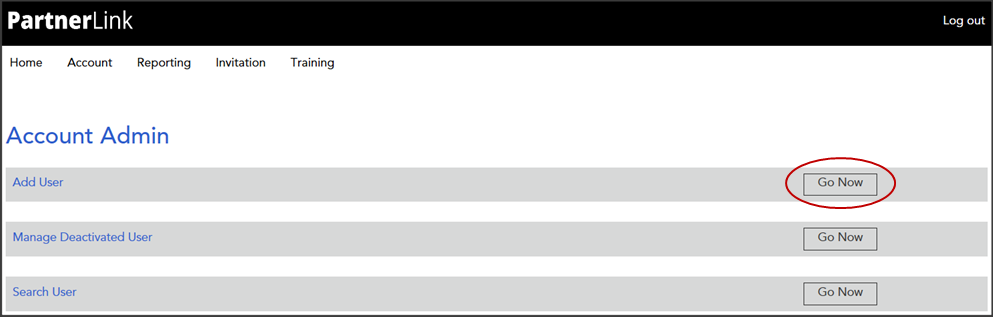
From the Account
Admin page select
the Add
User "Go Now" option
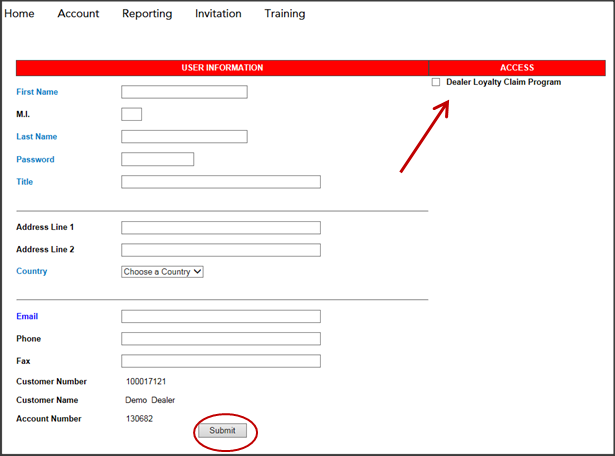
Complete the "User Information" details, select Dealer Loyalty Claim Program and click "Submit"
Once submitted, the user will receive an
email notification which will include their login credentials
A confirmation e-mail
will be sent to you from the help desk
mailbox

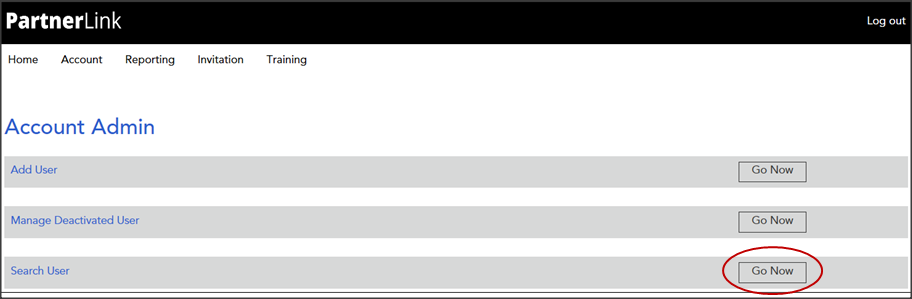
From the Account Admin page select
the Search
User "Go
Now" option to update or remove a user's access
Use
the Search Filter
to locate user profiles. Select a user
name to edit or delete a user profile
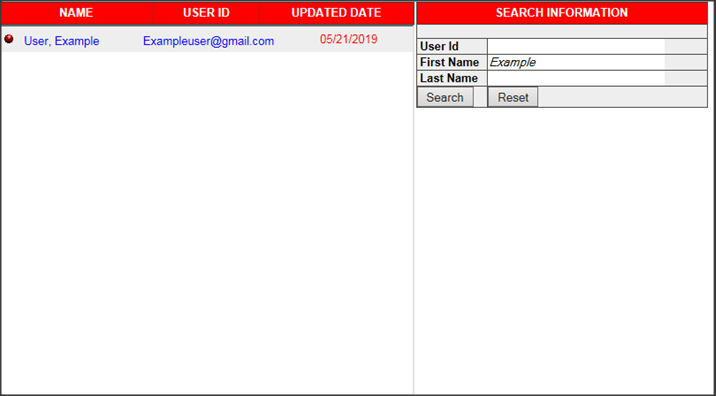
This will populate the user profile window allowing you the ability to update or delete the profile
